AI Coding Agents are redefining software engineering workflows. Claude Code, Cursor, Windsurf, Codex — these tools all share a common core problem to solve: how to make LLMs safely and effectively operate on real codebases.
This problem is far more complex than it appears. You need an abstraction layer that understands multiple AI Providers, a precise file editing strategy, a permission system that prevents agents from running wild, a memory mechanism for managing long conversations, and an event-driven architecture to tie it all together.
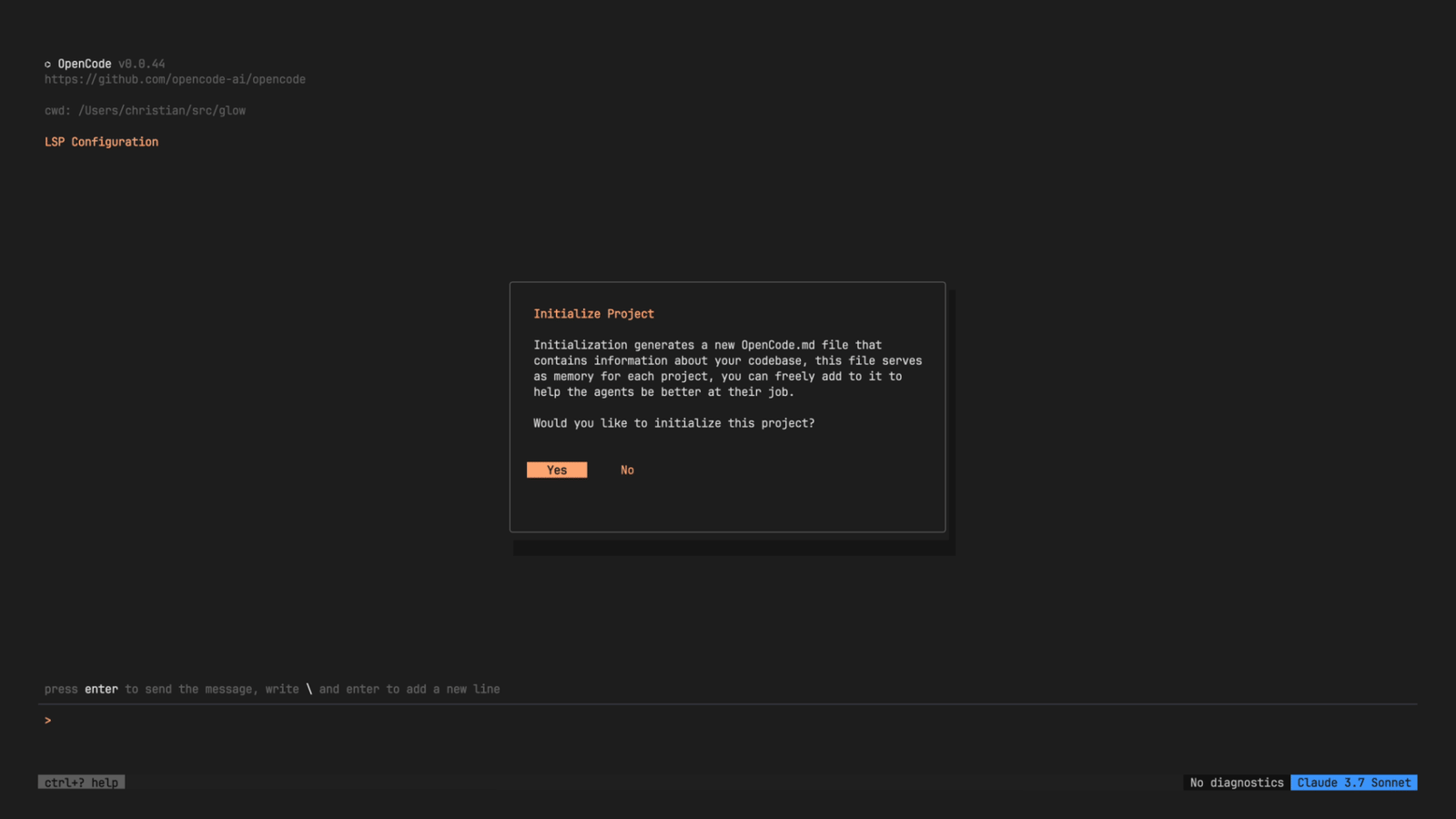
OpenCode is an open-source AI Coding Agent that offers three interfaces: CLI/TUI, Web, and Desktop. Its source code is an excellent resource for learning "how to build a production-grade AI Agent system from scratch." This article, based on deep reading of OpenCode's source code, dissects each layer of its architecture to show what a mature AI Coding Agent looks like on the inside.
Tech Stack: Modern but Pragmatic Choices
Before diving into the architecture, let's look at OpenCode's technology choices. These decisions reveal the design philosophy:
| Layer | Technology | Design Intent |
|---|---|---|
| Runtime | Bun | Startup speed, native SQLite support |
| Monorepo | Turborepo | Multi-package collaboration |
| UI | SolidJS | TUI uses @opentui/solid, Web uses Vite |
| AI SDK | Vercel AI SDK v5 | Unified streaming interface for 25+ Providers |
| ORM | Drizzle + SQLite | Lightweight but type-safe persistence |
| Validation | Zod v4 | Runtime schema validation |
| Desktop | Tauri v2 | Lightweight native wrapper |
| Type Checking | tsgo | Experimental native TypeScript compiler |
A few notable points: Choosing Bun over Node was primarily for bun:sqlite native bindings, eliminating external dependencies like better-sqlite3. Using SolidJS instead of React makes sense for TUI scenarios — fine-grained reactive updates are more reasonable than Virtual DOM diffing. Vercel AI SDK v5 is the cornerstone of the entire Provider abstraction, which we'll expand on later.
Monorepo Overview
packages/
├── opencode/     ← Core: CLI, TUI, Server, all business logic
├── app/          ← Web UI (SolidJS + Vite + Tailwind)
├── desktop/      ← Desktop app (Tauri v2, wraps app)
├── web/          ← Marketing/docs site (Astro + Starlight)
├── ui/           ← Shared SolidJS component library
├── sdk/js/       ← TypeScript SDK (auto-generated from OpenAPI spec)
├── plugin/       ← Plugin API
All important logic lives in packages/opencode/src/. This package itself is a micro operating system — with its own Agent scheduler, event bus, permission system, storage layer, and HTTP Server.
Startup Flow: From Command Line to Agent Loop
The best way to understand a system is to trace its startup path.
User inputs `opencode`
  │
  ├─ yargs parses command
  ├─ Middleware: log initialization, env vars, DB migration
  │
  └─ Default command: TuiThreadCommand
     │
     ├─ Spawns Worker Thread
     │   └─ Worker runs HTTP Server + event forwarding
     │
     ├─ Establishes RPC Client bridging main thread and Worker
     │
     └─ Starts SolidJS TUI rendering
There's a key architectural decision here: TUI and Server run in different threads. The Worker Thread handles all I/O-intensive work (LLM streaming, file operations, MCP connections), while the TUI main thread only handles rendering and user input. They communicate via RPC, and events are forwarded from Worker to TUI through GlobalBus.
This design keeps the TUI responsive even when the Agent is executing heavy tool calls — in terminal interfaces, UI lag is particularly terrible.
Agent System: More Than Just a Prompt
OpenCode defines 6 built-in Agents, each with clear responsibility boundaries:
| Agent | Role | Tool Access Scope |
|---|---|---|
| build | Default Agent, handles building and modifying | Almost all tools |
| plan | Planning mode, only analyzes doesn't act | Read-only tools + plan file editing |
| general | General sub-agent | Most tools |
| explore | Quick code exploration | Search-related tools only |
| compaction | Message compression (internal) | — |
| title | Title generation (internal) | — |
The core difference between each Agent isn't the prompt — it's the Permission Ruleset, which determines which tools the Agent can use. The clever part about the plan Agent: it doesn't rely on a prompt telling the LLM "don't modify files" — it simply removes write tools from the available list. Tools the LLM can't see, it can't call.
Agents can delegate to each other through the task tool. When the build Agent needs to search through a lot of code, it can spawn an explore sub-agent to execute in a separate Session, then bring the results back. This delegation is recursive — sub-agents can also delegate further, but each layer is constrained by its own Permission Ruleset.
Dynamic System Prompt Assembly
Different Providers and models receive different system prompts:
Anthropic/Claude  → PROMPT_ANTHROPIC (includes todo support)
OpenAI GPT        → PROMPT_BEAST
GitHub Copilot    → PROMPT_CODEX
Google Gemini     → PROMPT_GEMINI
System prompts are injected with runtime environment information: working directory, Git status, operating system, current date. These seemingly trivial context details significantly impact the Agent's behavior quality — for example, knowing which branch of the Git repository they're on allows the Agent to correctly execute commit operations.
Tool System: The Agent's Hands and Feet
Tools are the only interface between the Agent and the external world. OpenCode's Tool abstraction is elegantly designed:
Tool.Info<Params, Metadata> = {
  id: string,
  init(ctx?) → {
    description: string,
    parameters: ZodType,          // Input schema defined with Zod
    execute(args, ctx) → {
      title: string,
      output: string,
      metadata: Metadata,         // Real-time UI update data
      attachments?: FilePart[],   // Images, PDFs, etc.
    }
  }
}
Each tool is lazily initialized — init() is only called on first use, so startup speed isn't affected by the number of tools. The metadata callback mechanism allows tools to update the UI in real-time during execution (e.g., the bash tool streams command execution progress), rather than only reporting back when complete.
22+ Built-in Tools
Core file operations: bash, read, write, edit, apply_patch
Search and exploration: glob, grep, websearch, codesearch, webfetch
Agent collaboration: task (delegate sub-agent), question (ask user), skill (load commands)
Batch and management: batch (execute up to 25 tools in parallel), todowrite, lsp
Model-Aware Tool Filtering
Tool filtering logic adjusts based on model capabilities. For example, GPT-series models use apply_patch (apply multi-file patch in one go), while other models use edit + write (precise per-file editing). This isn't an arbitrary preference — it's because different models have significantly different performance on different tool formats.
ToolRegistry.tools(model, agent)
  ├─ GPT series → apply_patch (not edit/write)
  ├─ Other models → edit/write (not apply_patch)
  └─ websearch/codesearch → require specific flag to enable
Edit Tool: 9-Layer Fallback Matching Strategy
The edit tool is the most sophisticated part of the Tool system. When LLMs specify code to replace, there are often tiny deviations — an extra space, missing indentation, inconsistent escape characters. OpenCode uses 9 different replacers in sequence to ensure it finds the correct match position as much as possible:
- SimpleReplacer — Exact string match
- LineTrimmedReplacer — Ignore leading/trailing whitespace
- BlockAnchorReplacer — Context anchors + Levenshtein distance
- WhitespaceNormalizedReplacer — Normalize all whitespace
- IndentationFlexibleReplacer — Flexible indentation matching
- EscapeNormalizedReplacer — Handle escape character differences
- TrimmedBoundaryReplacer — Boundary trimming
- ContextAwareReplacer — Context-aware matching
- MultiOccurrenceReplacer — Multiple occurrences
These 9 strategies are ordered from strictest to loosest. It tries exact matching first, then progressively relaxes conditions if it fails. This solves a core pain point of AI Coding Agents: LLM output isn't deterministic, but file edits must be precise. This layered fallback significantly increases the Agent's edit success rate while maintaining modification accuracy.
Core Agentic Loop: Where the Heart Beats
The most important file in the entire system is SessionPrompt.loop() in src/session/prompt.ts. This is the Agent's heartbeat — a continuously looping cycle until the task completes or is interrupted:
User input
  │
  ▼
SessionPrompt.prompt()
  ├─ Creates User Message
  │   ├─ Text prompt
  │   ├─ file:// URL → reads file
  │   ├─ data:// URL → base64 attachment
  │   └─ MCP resources
  │
  └─ SessionPrompt.loop()  ← Core loop
     │
     ├─ Resolves available tools (filtered by Agent + Model)
     ├─ Injects system reminders
     │
     ├─ LLM.stream() → Vercel AI SDK
     │   ├─ Assembles system prompt
     │   ├─ Formats conversation history
     │   └─ Starts streaming
     │
     ├─ Processes streaming events
     │   ├─ text-delta → updates text
     │   ├─ reasoning-delta → updates reasoning process
     │   ├─ tool-call → executes tool
     │   └─ finish-step → calculates cost, generates diff
     │
     └─ Checks completion condition
        ├─ No more tool calls → ends
        ├─ Needs compression → executes compaction
        └─ Continues to next loop iteration
Each loop iteration is a cycle of "LLM thinks → calls tool → gets result → thinks again." The loop terminates when finish !== "tool-calls" — meaning when the LLM decides not to call any more tools, the task is complete.
Doom Loop Detection
An easily overlooked but crucial detail: the processor tracks tool call history. If it detects 3+ consecutive calls with the same tool and same input, it triggers a doom loop warning. This prevents the Agent from falling into an infinite loop of "try → fail → retry in exactly the same way" — a problem every Agentic system must face.
Message Compaction (Compaction)
Long conversations will exceed the model's context window. OpenCode's solution is to use a dedicated compaction Agent to compress historical messages when conversations get too long. The compressed content is inserted as a CompactionPart, replacing the original lengthy history. This allows the Agent to handle tasks of arbitrary length without failing due to context limits.
Provider System: Unified Abstraction for 25+ Models
OpenCode supports over 25 AI Providers — OpenAI, Anthropic, Google, Amazon Bedrock, GitHub Copilot, xAI, Mistral, Groq, and more. All of this is built on Vercel AI SDK v5's LanguageModelV2 interface.
Each Provider has specific message transformation logic (src/provider/transform.ts) to handle differences between APIs:
- Anthropic: filters empty strings, cleans empty text/reasoning parts
- Mistral: enforces 9-character tool call IDs, fixes message order
- Caching: marks system messages and recent messages for Providers that support caching
Default temperature values also vary by Provider — Qwen uses 0.55, Claude doesn't set it (uses API default), Gemini uses 1.0. These details determine the actual user experience.
Model data is fetched from models.dev with a three-tier fallback mechanism:
- Local file (
OPENCODE_MODELS_PATH) - Compile-time snapshot
- Remote fetch (hourly background update)
SDK instances are cached with xxHash32 — the same provider + settings combination only creates one SDK instance, avoiding repeated initialization overhead.
MCP Integration: Extending the Agent's Capability Boundary
Model Context Protocol (MCP) is the standard protocol for connecting Agents to external tool servers. OpenCode's MCP implementation supports three transport methods:
- StreamableHTTPClientTransport — HTTP POST + SSE (tried first)
- SSEClientTransport — Pure SSE (fallback)
- Stdio — Standard input/output (local tools)
MCP tools are converted to the same format as built-in tools, so the Agent can't distinguish between calling a built-in tool or an MCP tool. This transparent integration makes scalability nearly unlimited — any service implementing the MCP protocol can be used by the Agent.
OAuth flow is fully supported. When an MCP server requires authentication, the system displays the authentication URL, guides the user through authorization, then continues the connection.
Permission System: Trust but Verify
Letting an AI Agent operate on a real codebase, security can't be taken lightly. OpenCode's permission system uses layered rules to control tool access:
Evaluation order (later overrides earlier):
1. Default permissions
2. Agent-specific permissions
3. Session-specific permissions
4. Project-stored approval records
5. User settings
Each rule defines three actions: allow, deny, ask (prompt user).
The Bash tool has a special BashArity system that defines token counts for common commands to achieve finer-grained control. For example, git has an arity of 2, which means git push (high-risk) and git status (low-risk) can have different permission rules. npm run has an arity of 3, allowing separate control of npm run test vs npm run deploy.
This is much more refined than a simple "allow/deny bash" — it solves a real problem: you want the Agent to freely run tests and check git status, but ask before pushing code or installing packages.
Storage Layer: SQLite's Pragmatic Choice
The entire system's persistence is built on SQLite, through Bun's native bindings and Drizzle ORM:
SessionTable ─┬─ MessageTable ─── PartTable
              ├─ TodoTable
              └─ PermissionTable
A few noteworthy design choices:
WAL mode + 64MB cache: WAL (Write-Ahead Logging) allows concurrent reads and writes, paired with large cache to improve query performance.
Denormalized Part table: PartTable redundantly stores session_id — although it could be derived through MessageTable, storing it directly makes querying Parts by Session significantly faster. This is a classic "trading space for time" trade-off.
CASCADE delete: All foreign keys are set with cascade deletion. Deleting a Session automatically cleans up all related Messages, Parts, Todos, and Permissions.
Transaction side effects system: Database.transaction() supports registering side effects, allowing operations like event publishing to execute after the transaction commits, avoiding inconsistency where events are published but the transaction eventually rolls back.
Event Bus: The Event-Driven Nervous System
BusEvent.define(type, schema)  → Type-safe event definition
Bus.publish(def, props)        → Publish to current Instance + GlobalBus
Bus.subscribe(def, callback)   → Subscribe to specific events
The path events flow from business logic to UI:
Business Logic → Bus.publish()
  │
  ├─ Subscribers on current Instance
  │
  └─ GlobalBus → Worker Thread
     └─ RPC → TUI Process
        └─ SDKProvider → SyncProvider → UI re-renders
This event-driven architecture means the UI never needs to poll. Any state change — Session creation, message updates, tool execution progress, MCP connection status — is instantly pushed to all subscribers through events.
Configuration: Seven-Layer Settings Merge
OpenCode's configuration system supports 7 sources, from lowest to highest priority:
- Remote
.well-known/opencode(organization default) - Global
~/.config/opencode/opencode.json - File specified by
OPENCODE_CONFIGenvironment variable - Project
./opencode.json - Files in
.opencodedirectory OPENCODE_CONFIG_CONTENT(inline JSON)/etc/opencode/opencode.json(administrator, highest priority)
Configuration format uses JSONC (JSON with comments), supports {env:VAR_NAME} environment variable substitution and {file:path} file content inclusion. .md and .ts/.js files in directories are dynamically scanned, automatically loading as Agent definitions, commands, or Plugins.
Code Style: Design Philosophy Seen Through Conventions
OpenCode's code conventions reflect a strong engineering preference:
- Namespace exports: Modules use
export namespace Foo { }instead of top-level functions, maintaining clear module boundaries - No destructuring: Persists with dot notation (
obj.prop), preserving semantic context of objects - const over let: Uses ternary operators or early returns instead of reassignment
- No else: All branches handled with early returns
- Avoid try/catch: Prefers
.catch()function chaining style - Avoid mocking tests: Tests real implementations rather than mocks
The last point is especially worth pondering. In a system so dependent on external APIs,坚持不用 mock means tests face real LLM calls and file operations. This makes tests slower but more reliable — because mock tests can never catch real-world problems like "the Provider's API response format changed."
Conclusion: What the Architecture Tells Us
Looking back at OpenCode's overall architecture, several design decisions are particularly worth pondering:
Layered fallback beats perfect prediction. The Edit tool's 9 matching strategies, Provider's multi-tier fallback, Configuration's 7-layer merge — all embody the same principle: in systems dealing with uncertainty, elegant fallback is more practical than perfect prediction.
Constraints are security. An Agent's capabilities aren't defined by prompts but by the tools it can access. Permission Ruleset fundamentally constrains the Agent's action space, more reliably than any prompt engineering.
Event-driven is the glue. In a system involving LLM streaming, tool execution, UI updates, and cross-thread communication, the event bus is the key abstraction that binds everything together. It lets each module only need to know "what happened," not "who needs this information."
Pragmatism over showing off. SQLite over PostgreSQL, Drizzle over Prisma, denormalized session_id over normalized JOINs — each choice leans toward "the simplest effective solution for this scenario" rather than "industry best practice."
For developers wanting to understand how AI Agent systems work, OpenCode's source code is one of the best learning materials available. It's not a toy project — it's a production-grade system facing real-world complexity — and that complexity contains the most valuable engineering wisdom.